How to print out your driver's license translation in 7-Eleven
This is important for everyone who ordered the 7-Eleven self printout option. You will need the 7-Eleven code and 40 Yen in coins.
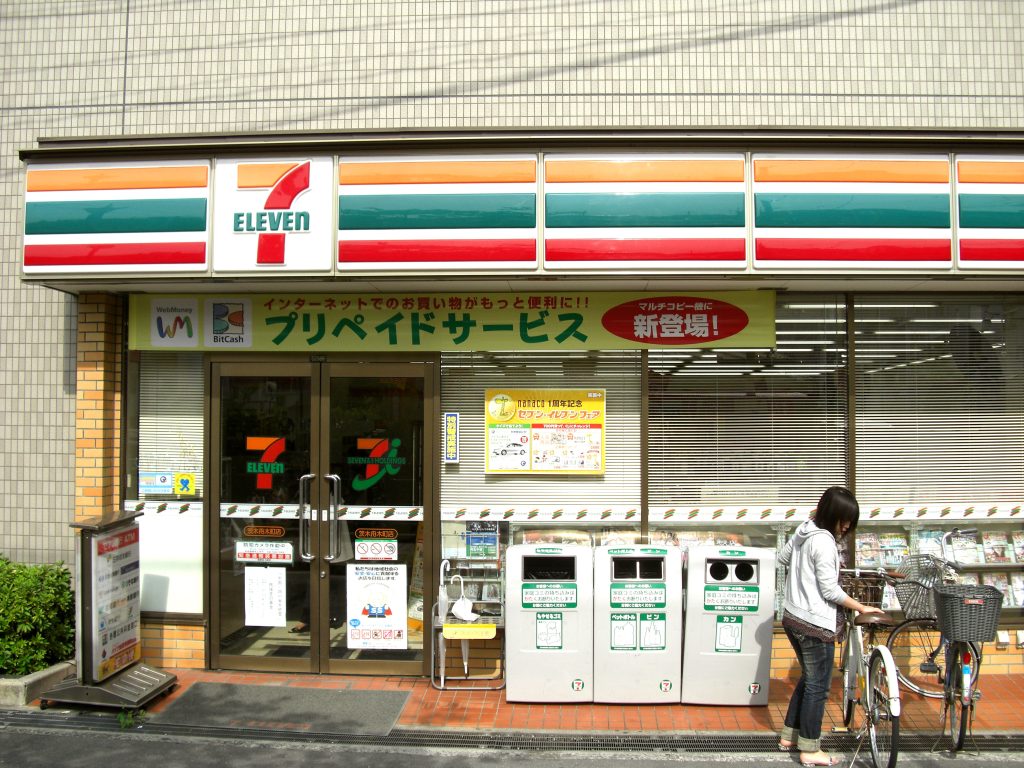
There are more than 21.600 7-Eleven stores in Japan, which means you’ll find one of these easily in order to print out your JAF driver’s license translation. In the image below you can see how a 7-Eleven store looks like.
Also, here is a map that shows you the closest 7-Eleven.
1. Locate the Multi-Copier in 7-Eleven
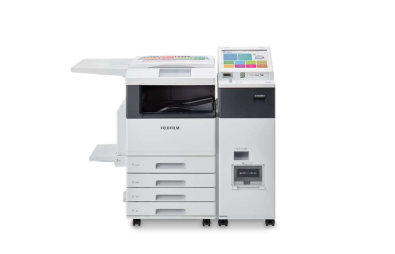
Most 7-Eleven stores have a multi-copier. Refer to the image below to identify it.
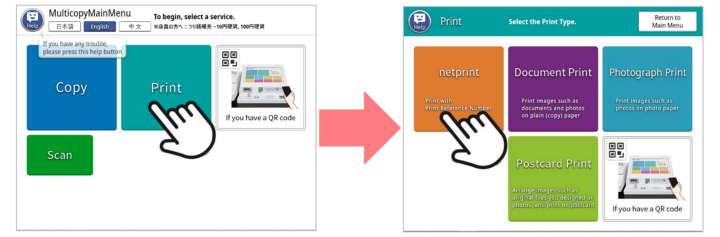
2. Select “English” as your preferred language.
Press the “Print” button.
A new menu will appear. Select “netprint.”
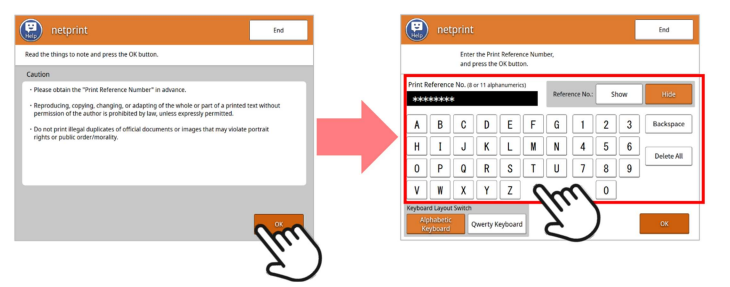
3. Review the terms of use and click “OK.”
On the next screen, enter the 8-digit code we sent you via email.
Press “OK.”
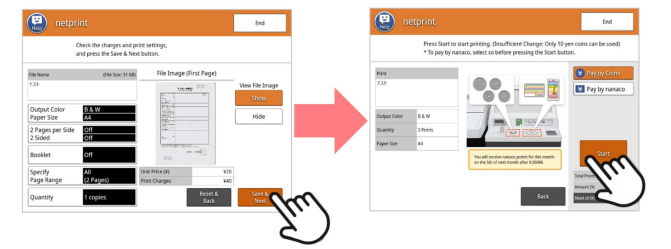
4. A preview of your driver’s license translation will appear on the right side of the screen.
Press the “Save & Next” button.
Insert the required fee of 40 Yen.
The machine only accepts 10, 50, 100 and 500 Yen coins. If you don’t have any coins, you can ask the 7-Eleven staff to exchange your larger bills or notes for coins.
Click the “Start” button.
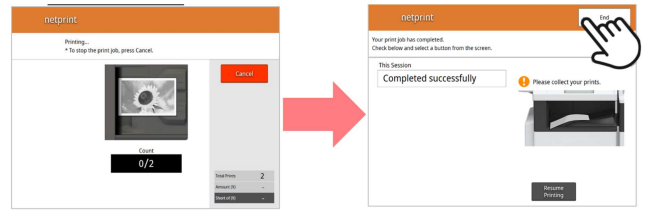
5. Your translation is currently being printed.
Please wait patiently.
Do not press the “Cancel” button.
When printing is complete, collect your printed document and press the “End” button.